

Insight Agent - Campaigns
Key Drivers: Decoding Campaign Performance with AI
The Key Drivers feature acts as your weekly strategic advisor, using artificial intelligence to identify exactly what moved the needle on your engagement metrics. By automatically decoding your campaign copy into Smart Tags, this tool decouples "how" you sent a message (the channel) from "what" the message actually said (the content).
You can find this feature under the Engagement Overview section in your WebEngage dashboard.
Try it out!
Key Drivers is currently in beta and can be enabled on request. To try this feature in your dashboard, please contact your Customer Success Manager or email us at [email protected].
The Power of Smart Tags
Unlike manual tagging—which can be biased, incomplete, or inconsistent—Key Drivers provides an unbiased audit of your content strategy using advanced AI.
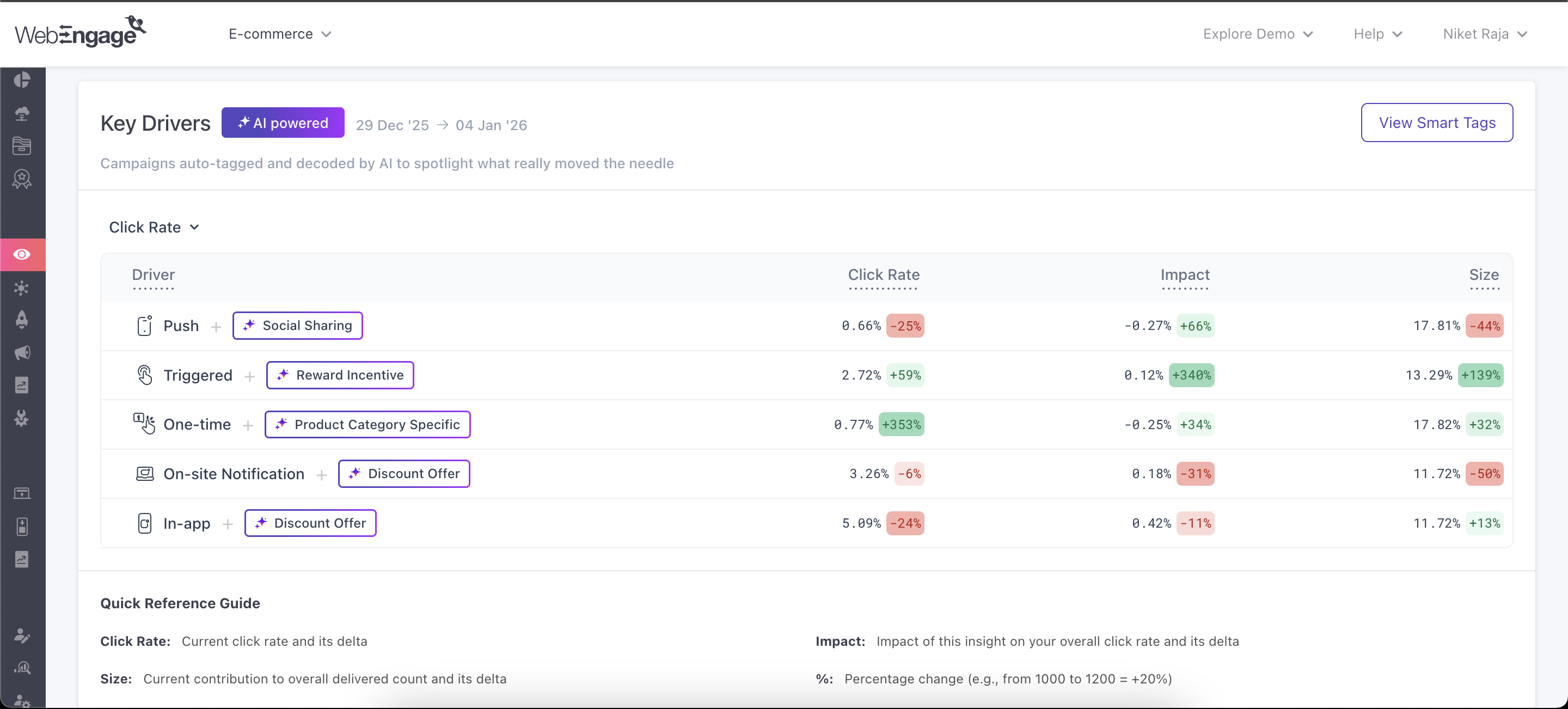
Stable & Precise Smart Tagging
To provide meaningful insights, our AI maintains strict consistency across your data. Unlike general-purpose AI models that can be unpredictable or "random" in their labeling, we’ve fine-tuned our engine to prevent "tag drift."
This means that unless your campaign content changes drastically, similar messages will always be grouped under the same Smart Tag every week. This precision ensures that your trends are based on actual performance changes, not random variations in how the AI labels your data.
Content Analysis
The AI performs a deep scan of your campaign's messaging and core value propositions to identify themes like Discount Incentives, Product Spotlights, or Cart Reminders. By focusing on the underlying strategy that drives your audience to act, the engine provides a clear map of your most effective messaging.
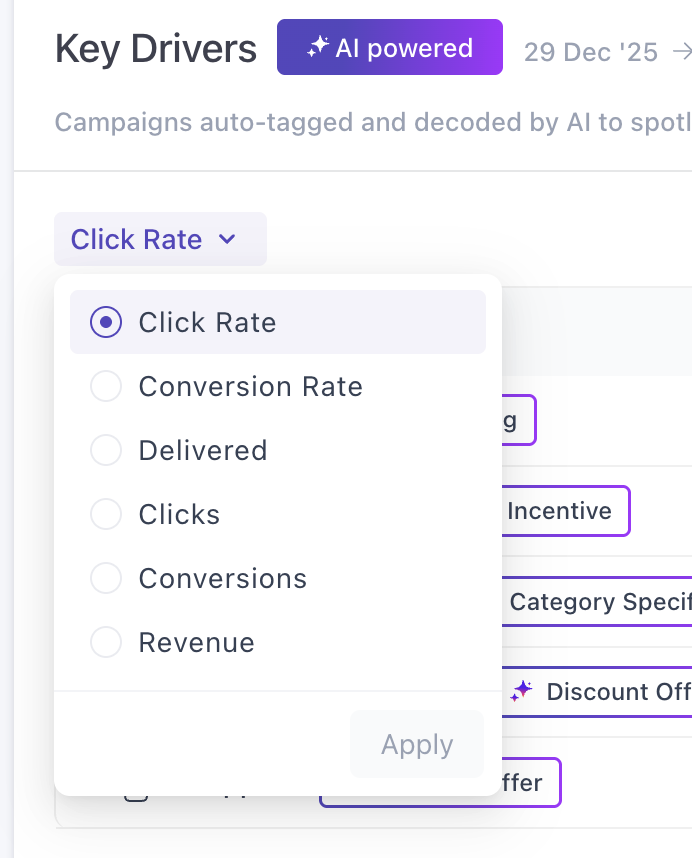
Interactive Insights
The Key Drivers table is designed for deep exploration. While the summary view provides the high-level trends, hovering over any cell unlocks the deeper math and historical context behind the numbers.
Analyzing Engagement Efficiency
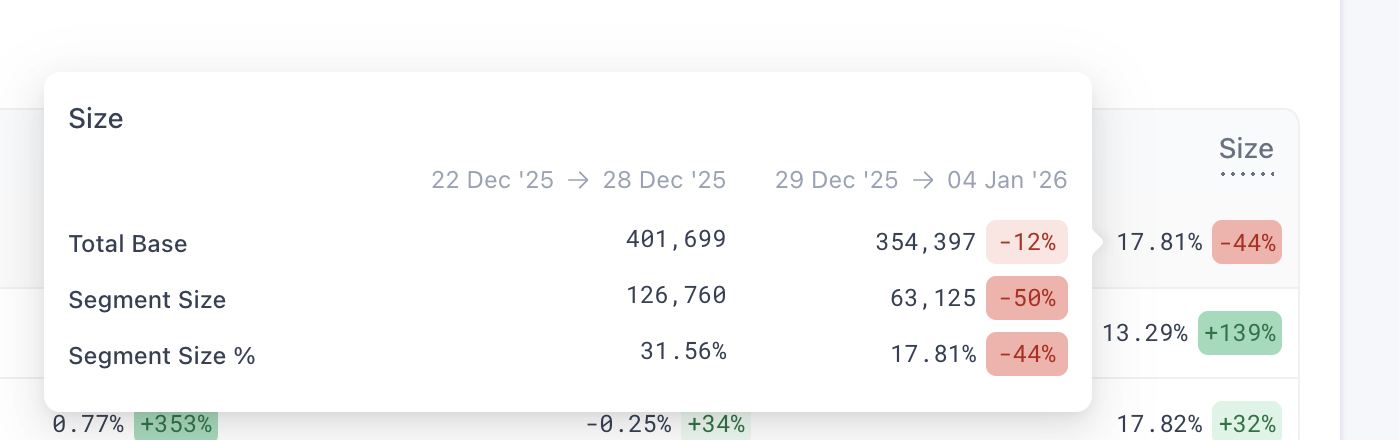
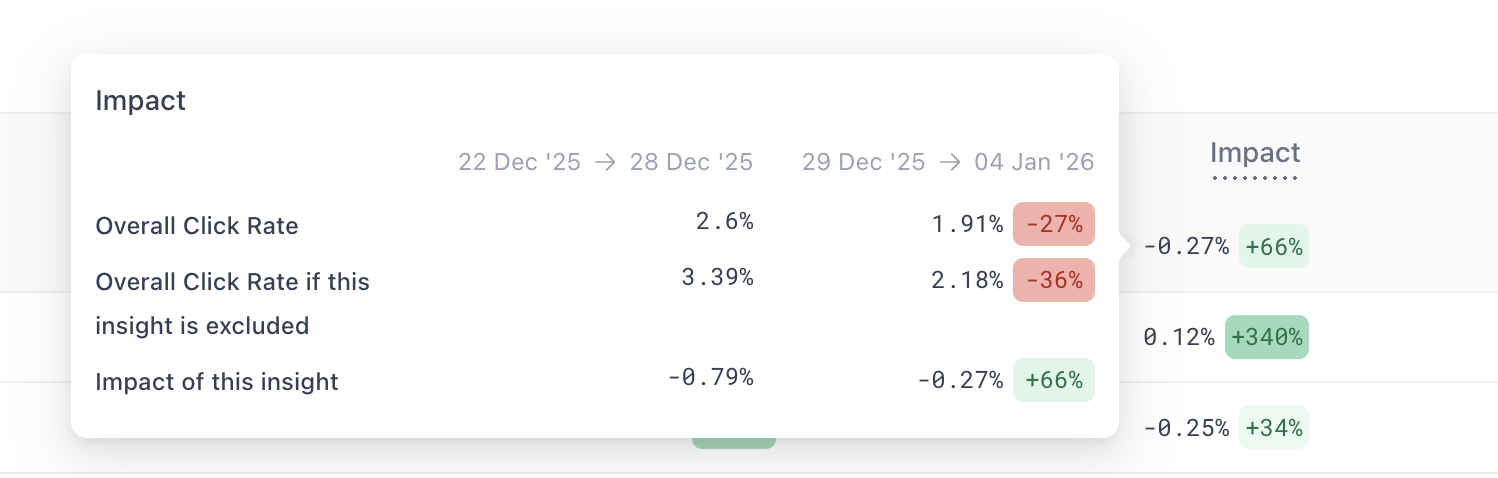
To provide a sophisticated diagnostic view, the Size and Impact metrics are designed specifically to analyze Rate Metrics (Click Rate and Conversion Rate). These columns help you measure the efficiency of your content, showing you exactly how specific messaging styles influence the quality of your audience engagement.
-
Size Tooltip: Hovering here reveals the Total Base (total account volume) vs. Segment Size (driver volume) and the resulting Size %.
-
Impact Tooltip: Hovering here shows your Overall Rate compared to the Overall Rate if Excluded. This reveals the exact boost or drag that specific content provides to your account average.
Tracking Volume Trends
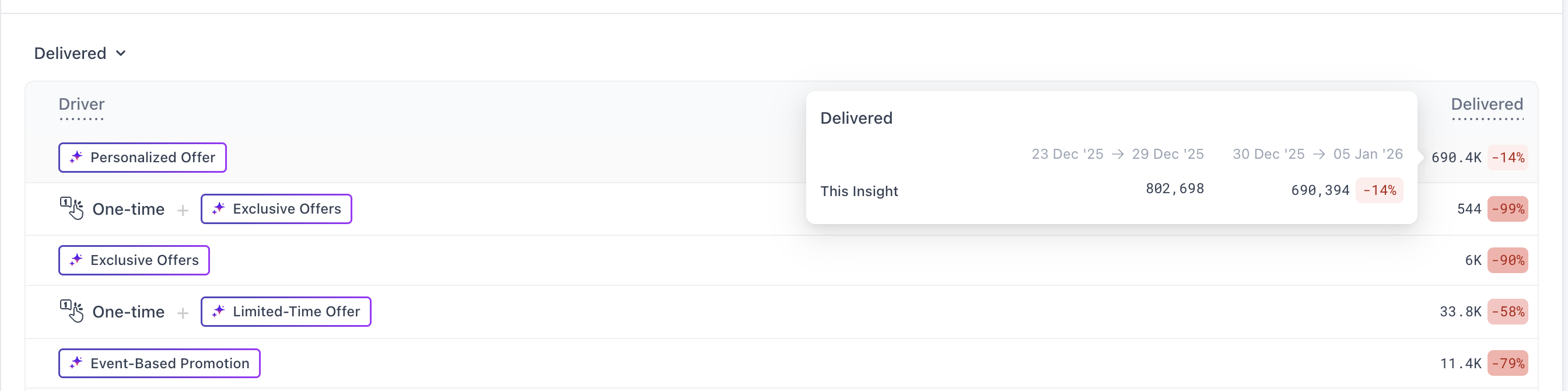
For absolute metrics like Delivered, Clicks, Conversions, or Revenue, the dashboard focuses on raw volume trends. You can still hover over any driver to see its specific performance breakdown, including the Current Value, the Previous Value from the last 7-day cycle, and the exact Difference between the two.
Workflow: Running a Weekly Review
Key Drivers is built for an agile, 7-day optimization cycle using T-1 data.
Use this workflow to perform a weekly audit:
- Identify the "Needle Movers": Pivot the dropdown between Click Rate and Conversion Rate. A driver with high Size but negative Impact is a high-priority area for content optimization.
- Validate Content Across Channels: Look for the same Smart Tag across different channels. If a theme works on Push but fails on Email, you can refine your channel-specific copy without manual reporting.
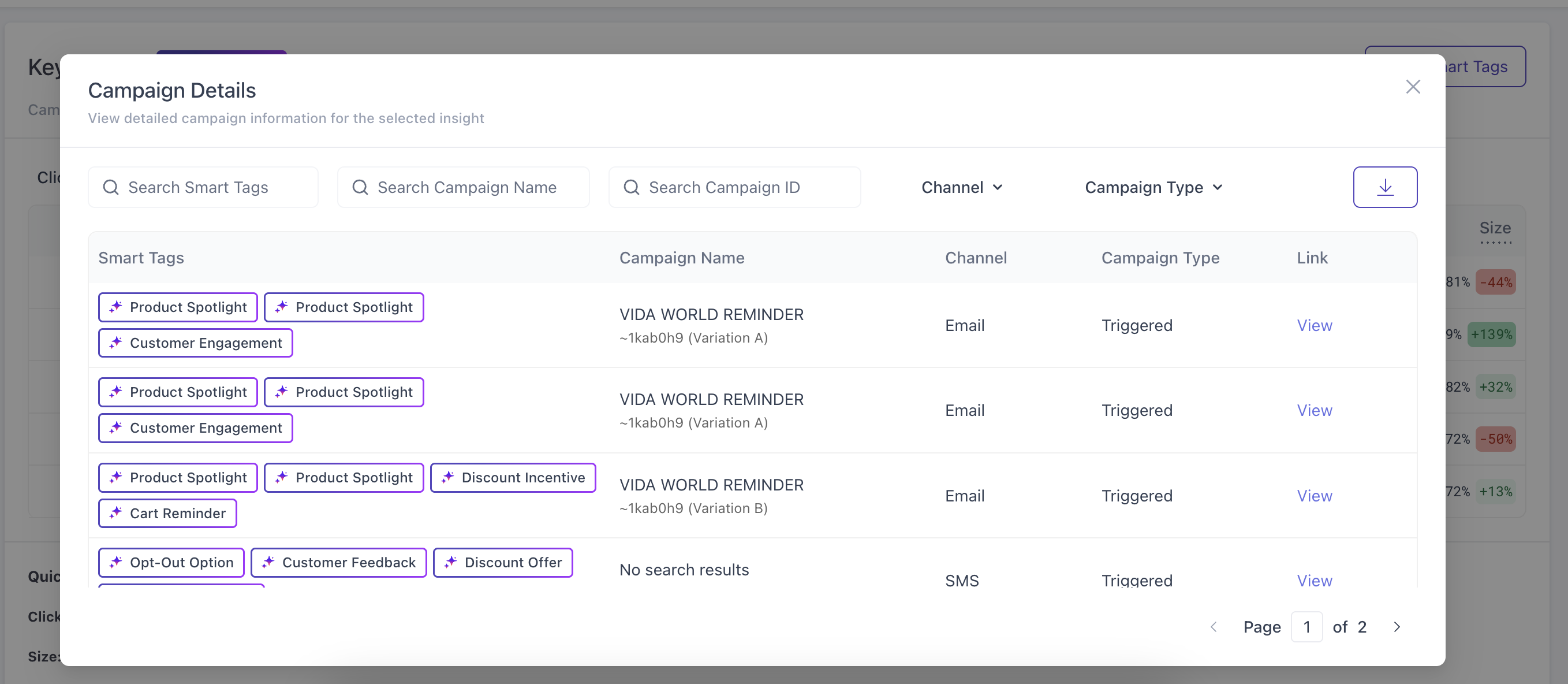
- From Insight to Action: Click on any row to open the Campaign Details modal. Review the specific campaigns the AI has grouped together, then use the "View" link to jump directly into the campaign setup to make real-time adjustments.
FAQ
Can a campaign have multiple Smart Tags?
Yes. If a campaign contains multiple hooks, the AI will apply multiple tags. The campaign performance impact is fully credited to each relevant tag.
How do Smart Tags differ from Manual Tags?
They are mutually exclusive. Smart Tags are content-based and generated by AI to ensure historical consistency; Manual Tags are user-defined and do not appear in this diagnostic view.
Can I export this data?
Yes. Within the Campaign Details modal, click the Download icon to export a CSV of the specific campaigns and their performance data for further internal analysis.
Try it out!
Key Drivers is currently in beta and can be enabled on request. To try this feature in your dashboard, please contact your Customer Success Manager or email us at [email protected].
Updated 10 months ago